Lokstack / Features

Everything on your Mac, one window.

Lokstack answers three questions for every project: is it running, why won't it start, and what does it run on. Every answer has an action beside it.

Projects

See what each project is made of.

Lokstack finds your projects automatically and shows the stack behind each one.

  • Stack tiles for Node and PHP (in use vs. required), packages, every database connection and Docker use
  • Detected features from your dependencies: framework, database, queues, auth, AI, payments, realtime and more
  • Environment files with every key listed and secrets masked
  • Pin favourites to the top of the sidebar
Lokstack project overview showing stack tiles and detected features.

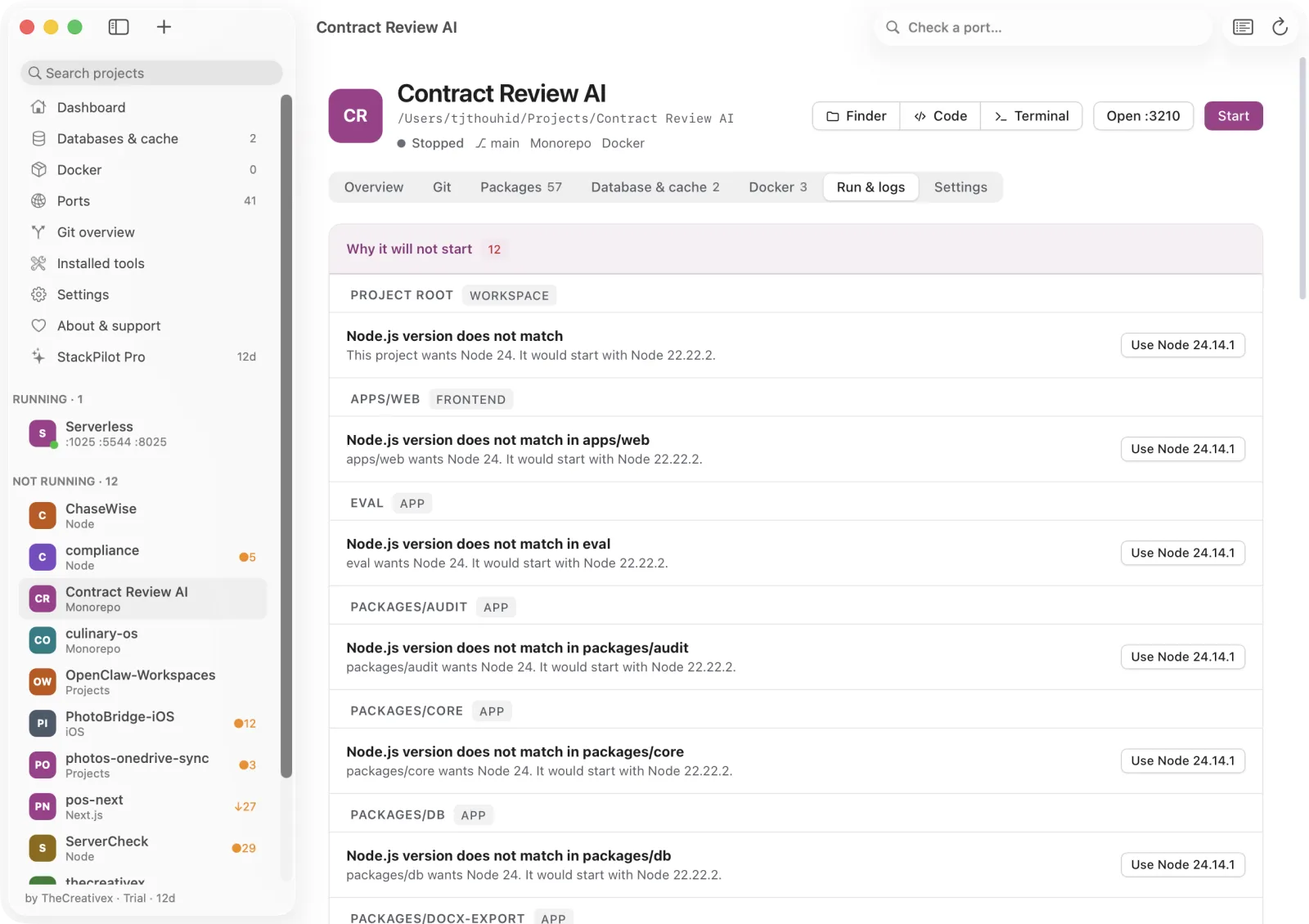
Why it won't start

The reason and the fix, side by side.

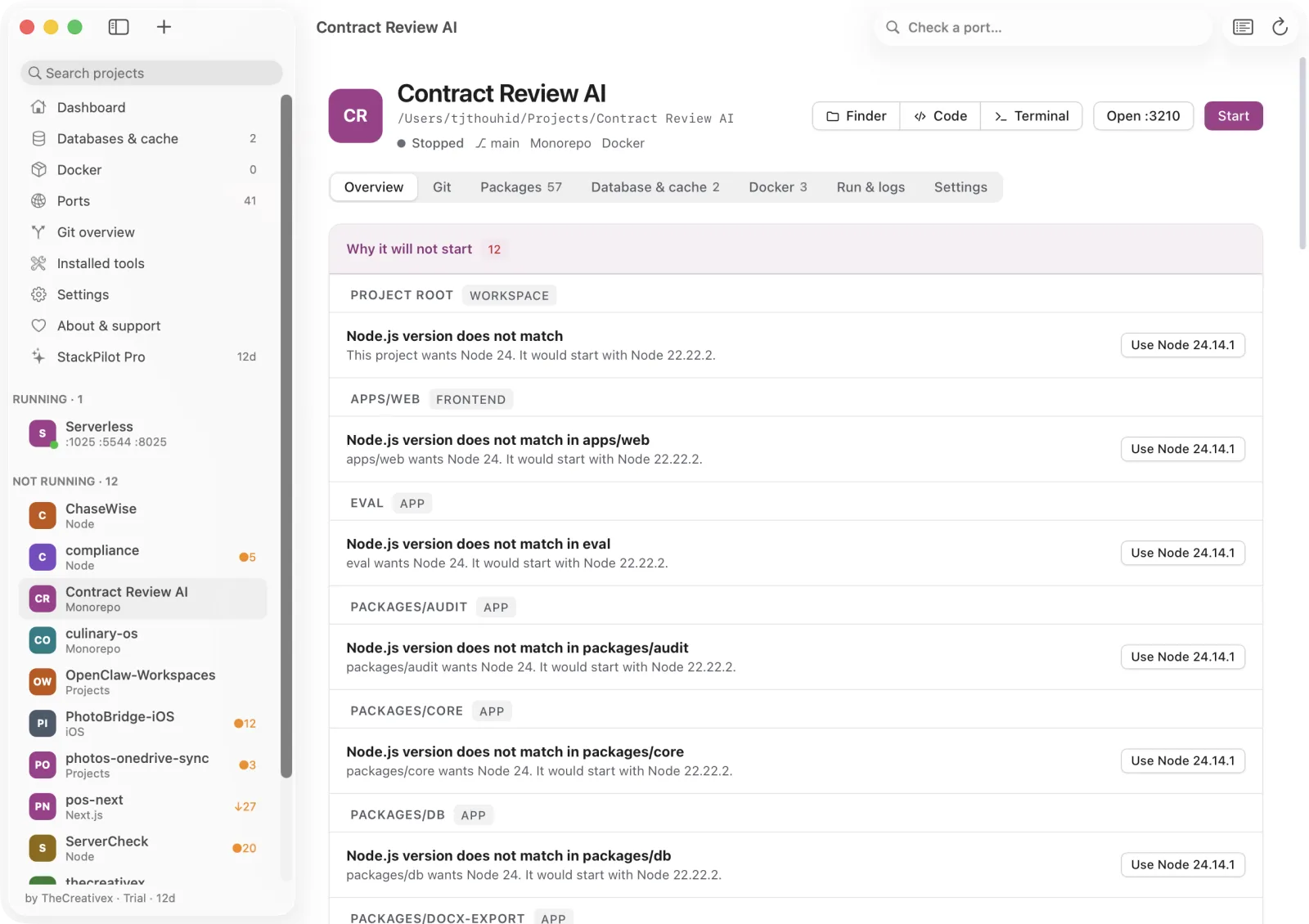
A ranked list of what blocks a project, each with a button.

  • App port already taken: free the port
  • Node or PHP doesn't match: use the right version Pro
  • Dependencies missing: install
  • Database or Docker not running: open it or start compose
  • .env missing or incomplete: create it from the example Pro
  • Last start failed: open the log with the error line shown
Lokstack Run and logs tab listing blockers and fixes.

Run & logs

Take control of what's already running.

Every process started from a project folder shows up as a tree, no matter who started it.

  • See who started it: Terminal, VS Code, Cursor, JetBrains, Claude Code or Lokstack
  • Restart in Lokstack to capture its output, or use as start command
  • Set a run folder, start command and reserved port per project
  • Add a queue, scheduler or worker as its own command with its own log Pro
Lokstack process tree with ports and uptime.

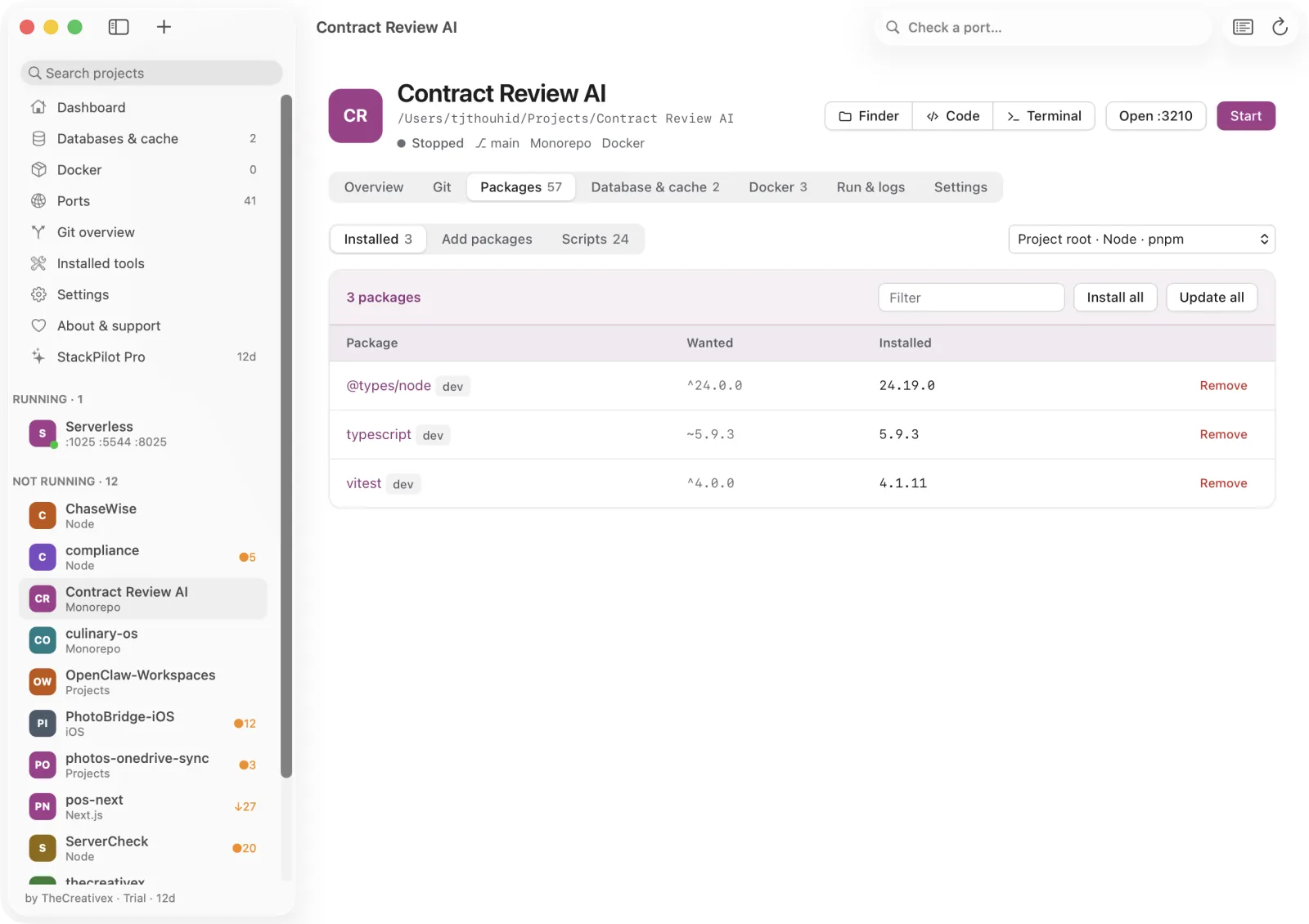
Packages

Install and update without the terminal.

npm, pnpm, yarn, bun, Composer or pip, detected from your lockfiles and aware of monorepos.

  • Install by name, install all, or remove
  • Search npmjs.com, packagist.org and PyPI with downloads and stars
  • Run scripts once or make one the start command
  • Laravel shortcuts: migrate, db:seed, optimize:clear and more
  • Install a specific version and update all Pro
Lokstack Packages tab with installed packages.

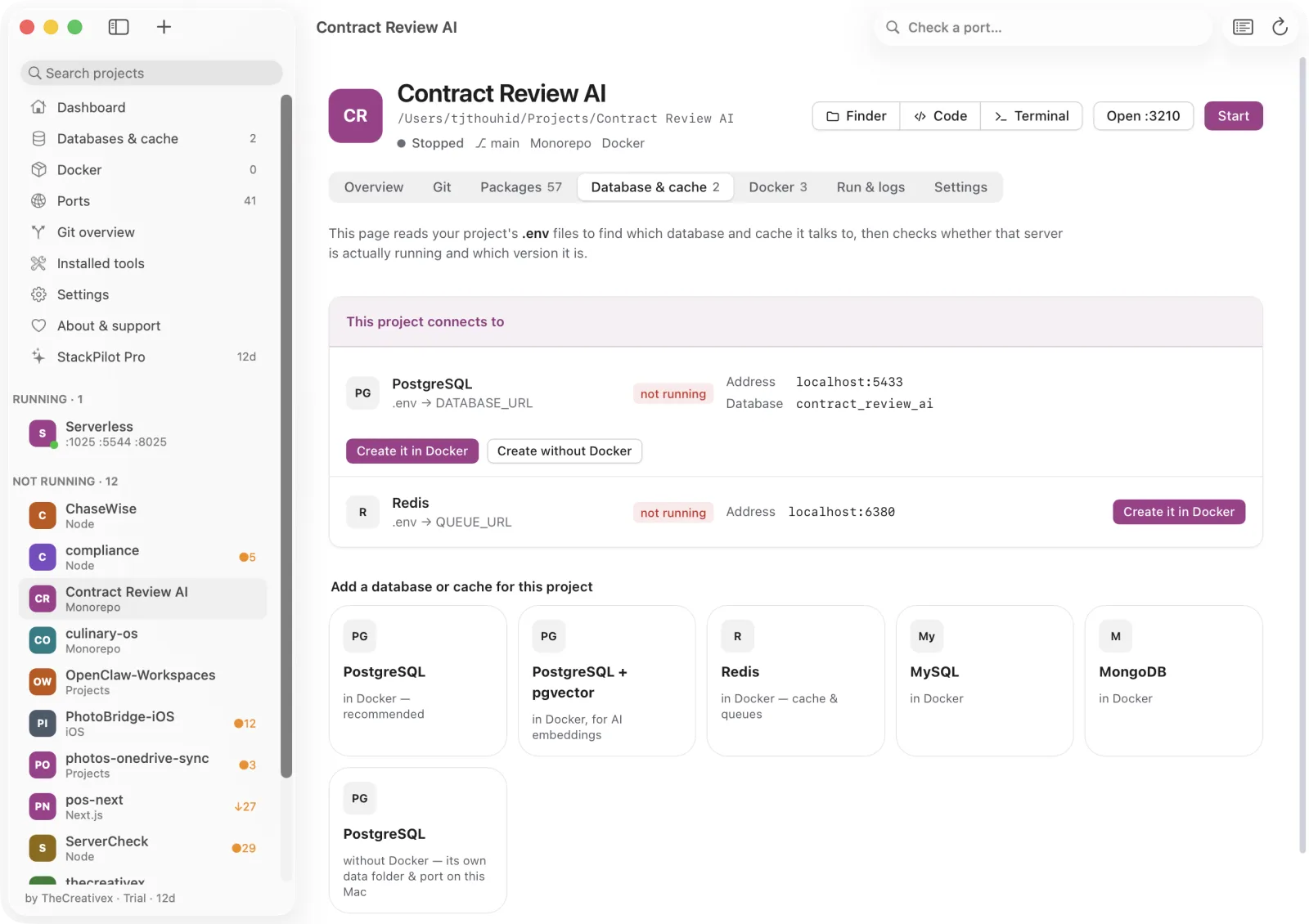
Databases & cache

The exact database, verified.

Lokstack reads your .env, checks that the server answers, and shows version and location.

  • Understands DATABASE_URL, DB_*, REDIS_*, PG* and compose hostnames
  • One-click PostgreSQL, pgvector, Redis, MySQL or MongoDB in Docker (one free, unlimited with Pro)
  • Copy-ready .env snippets
  • PostgreSQL without Docker Pro
Lokstack Database and cache tab.

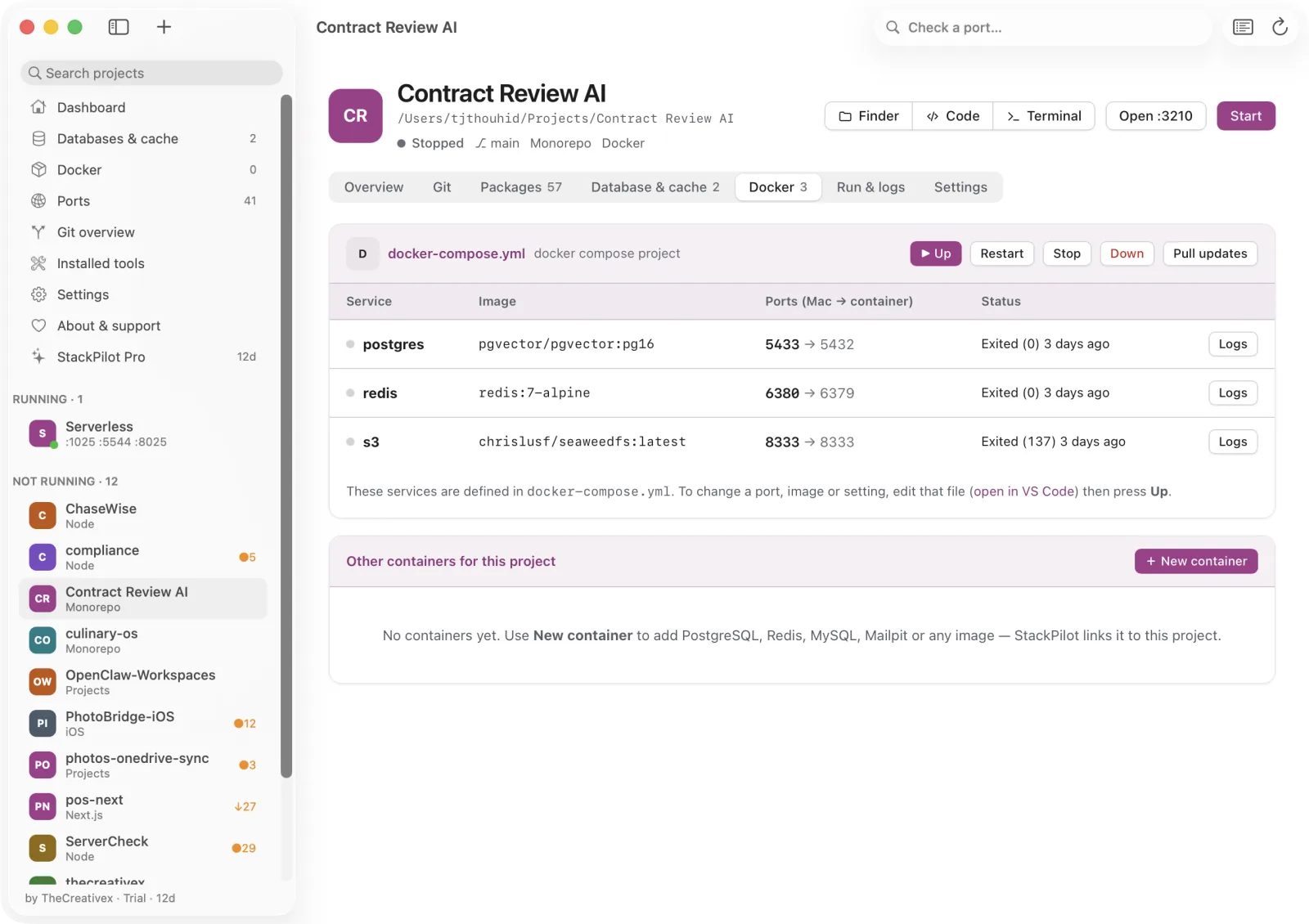
Docker

Containers made readable.

Compose projects and containers with the controls you actually use.

  • Up, restart, stop, down and pull for compose projects
  • Start, stop, restart, logs and delete for containers (volumes are kept)
  • New containers from plain-language templates, including Mailpit and MinIO
  • Safe container edits that roll back on failure Pro
Lokstack Docker tab with containers.

Git

Git, with the guard rails on.

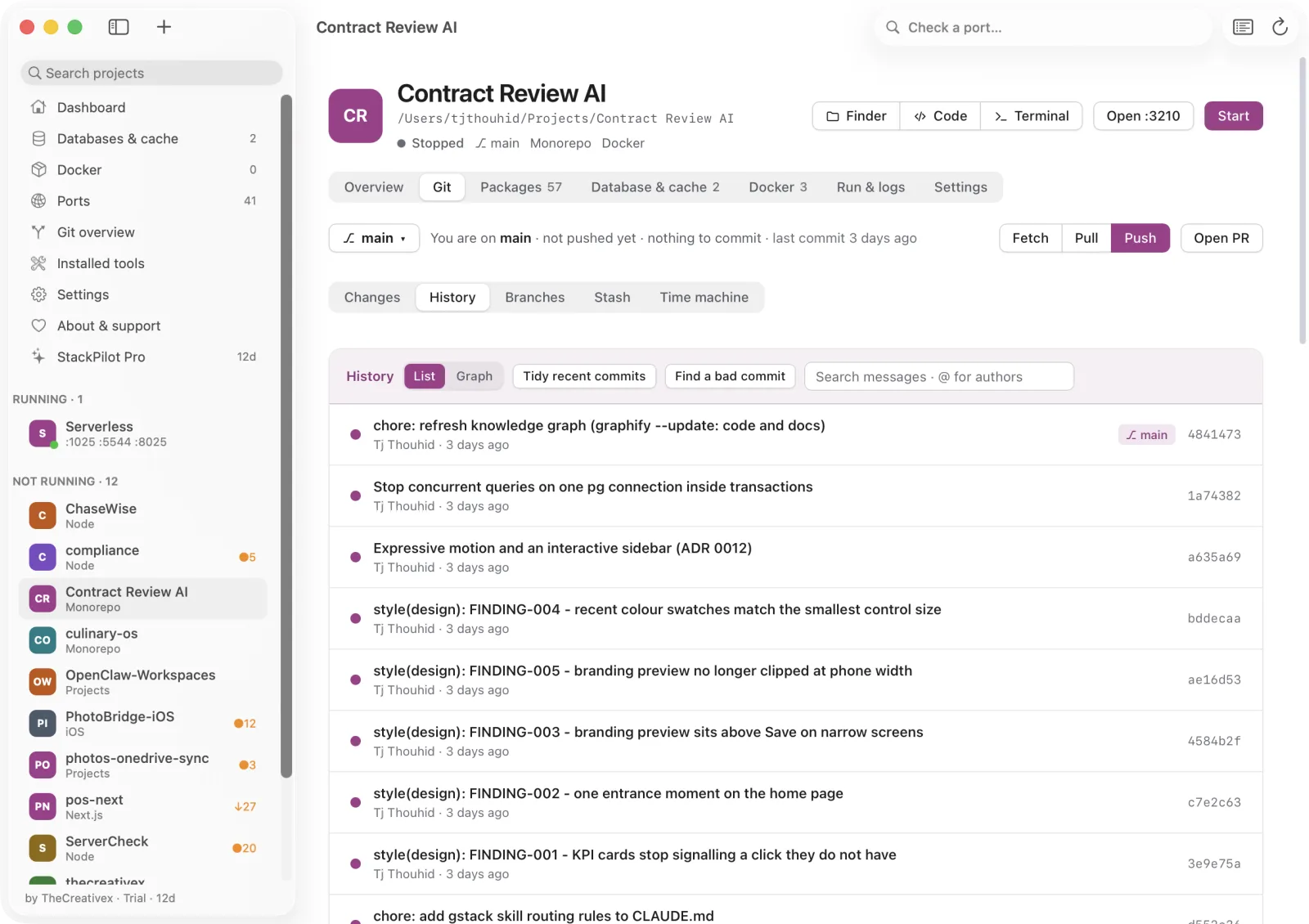
A full Git tab in every project, designed to keep you from losing work.

  • Status, hunk staging, commit, amend, branches, stash, merge and rebase
  • Secret guard that stops you committing keys, and undo, both free
  • Open pull requests from the app
  • Pro: line staging, 3-way conflict resolver, interactive rebase, cherry-pick, revert, commit graph, time machine, bisect, worktrees Pro
  • Git overview of every project at a glance Pro
Lokstack Git tab with commit history.

Ports & tools

Know every port and every version.

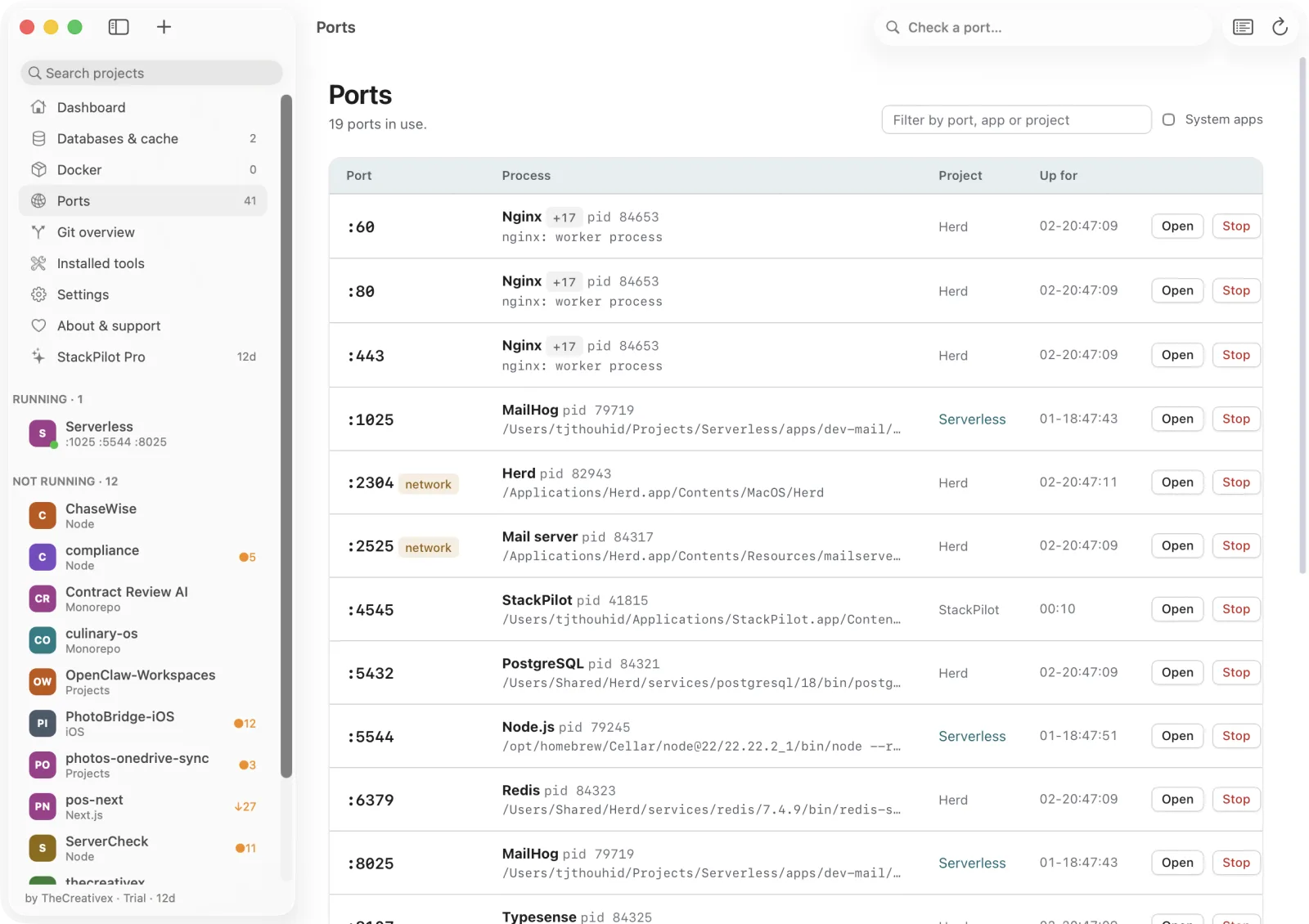
Check a port from the toolbar and see who owns it.

  • Every listening port with app, project, PID, command and uptime
  • Ports reachable from the network are flagged
  • Node, PHP, PostgreSQL and Redis from nvm, Homebrew and Herd, installed side by side
  • Choose which folders Lokstack scans for projects
Lokstack Ports page listing listening ports and their projects.

See your own stack in a minute.

Free for everyday work. The 14-day Pro trial needs no card.