
Lokstack
See every project, port, and version on your Mac, and fix it in one click.
Every project, port, database and container on your Mac — what is running, why it will not start, and the fix beside it.
The problem
Your Mac runs a stack
you can't see.
Ghost servers
A dev server started in a Terminal tab you closed hours ago still holds port 3000.
Two Postgres
One in Docker, one in Herd — different versions, different ports. Which one does the app use?
Version drift
The project needs Node 24 and PHP 8.2. Your shell says 22 and 8.4.
Invisible workers
Queues and builds started by editors and AI coding tools, running in the background.
LokstackHow developers cope today
Six tools and a lot of memory.
Answering “what's running and why is port 3000 busy?” means stitching together lsof, ps, docker ps, brew services and .env files — every day.
LokstackIntroducing Lokstack
One cockpit for your whole local stack.
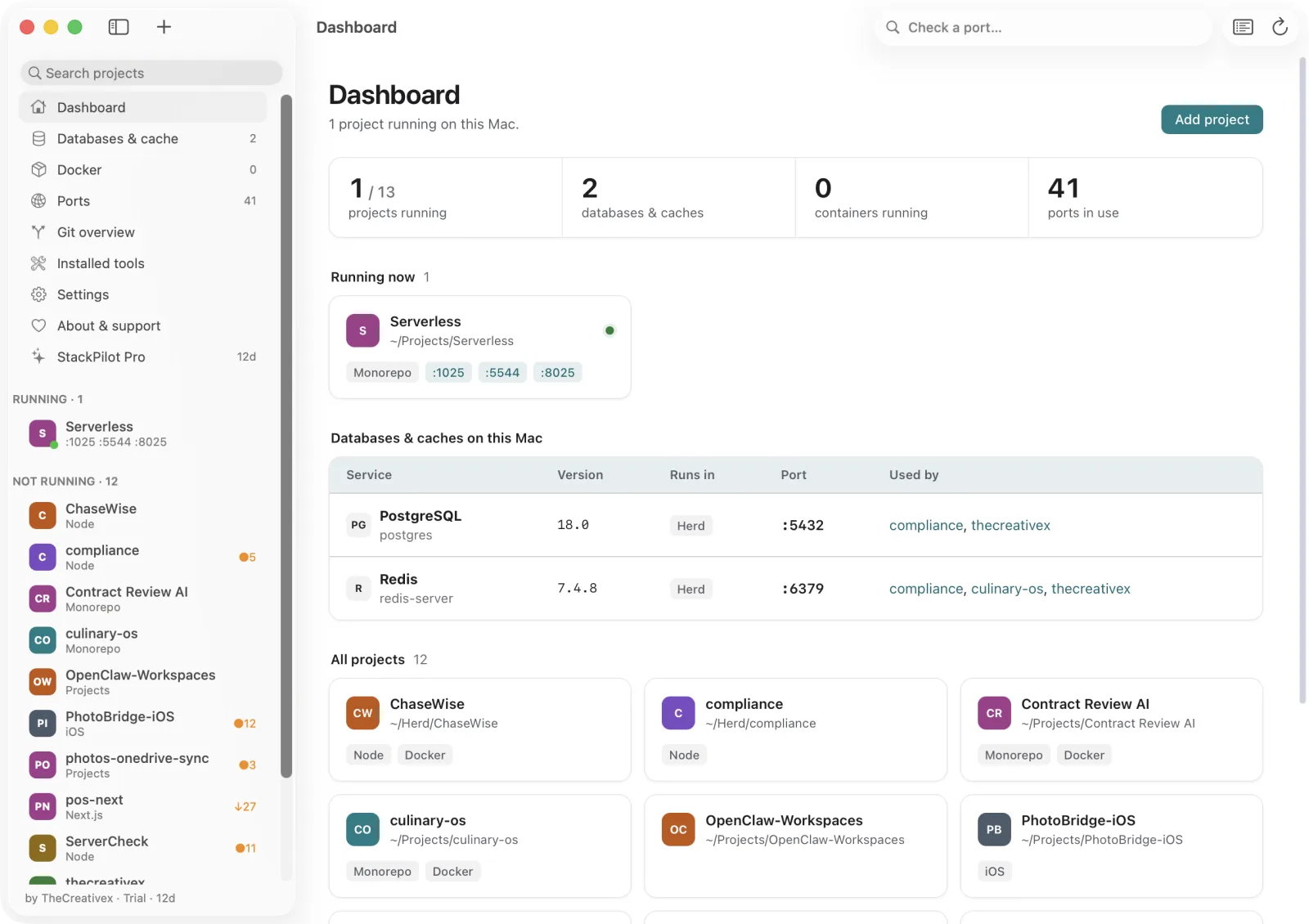
Lokstack understands projects, not just processes — what runs, where, on which versions — and puts the fix next to every finding.
 Lokstack
What makes it different
See it. Control it. Fix it.
See everything
Every process started from a project folder — by Lokstack, Terminal, VS Code, Cursor or Claude Code — with its ports.
Control anything
Start with the right command in the right folder, stop whole process trees, free a busy port in one click.
Fix in place
See why a project will not start and fix it beside the reason — runtime, .env, database, port.
LokstackProject overview
Know your stack at a glance.
- Node & PHP in use vs. what the project needs.
- Databases & cache from .env — version, where it runs, up or down.
- Features detected: framework, ORM, auth, queues, AI, payments.
- .env at a glance, secrets hidden.
 Lokstack
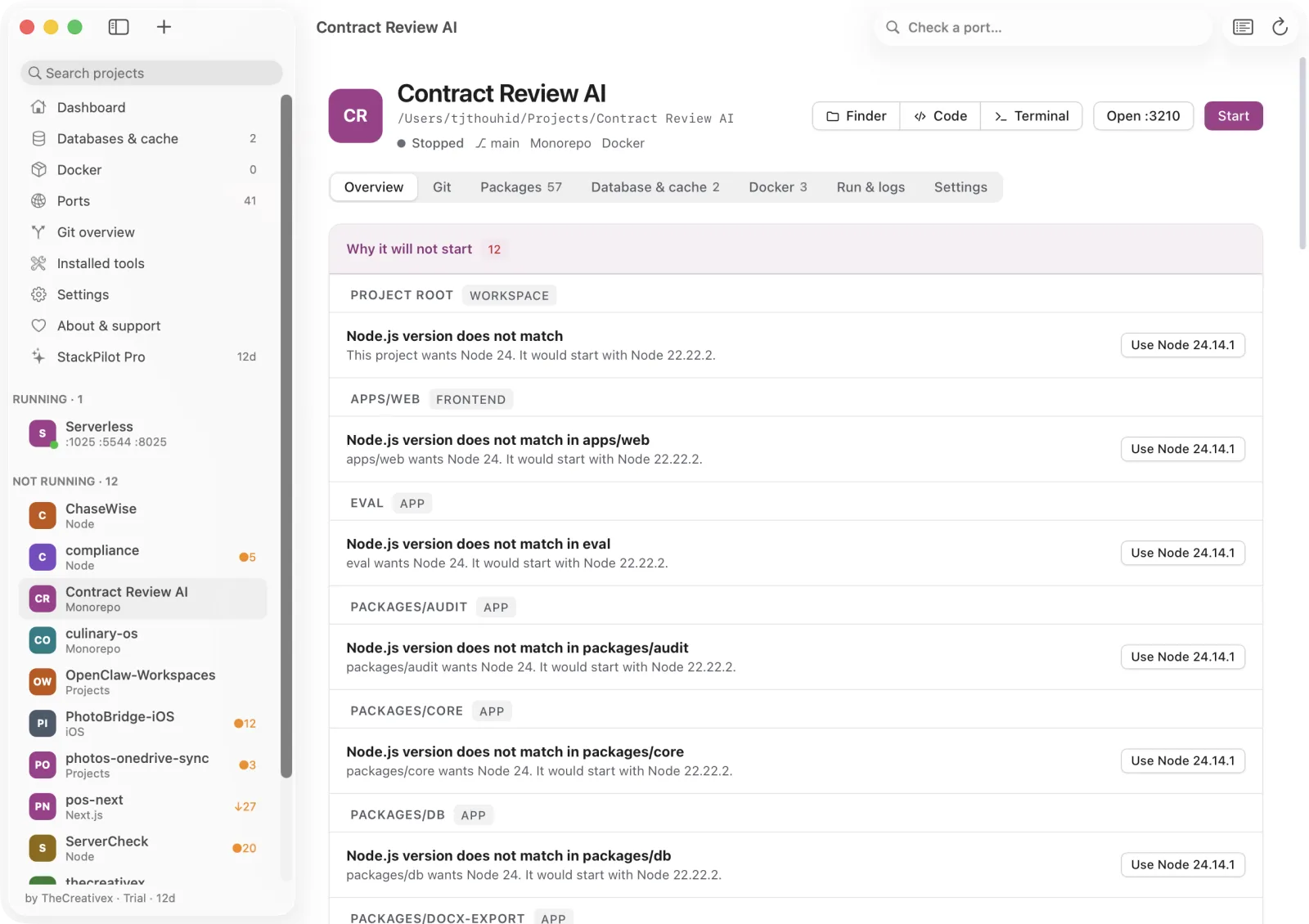
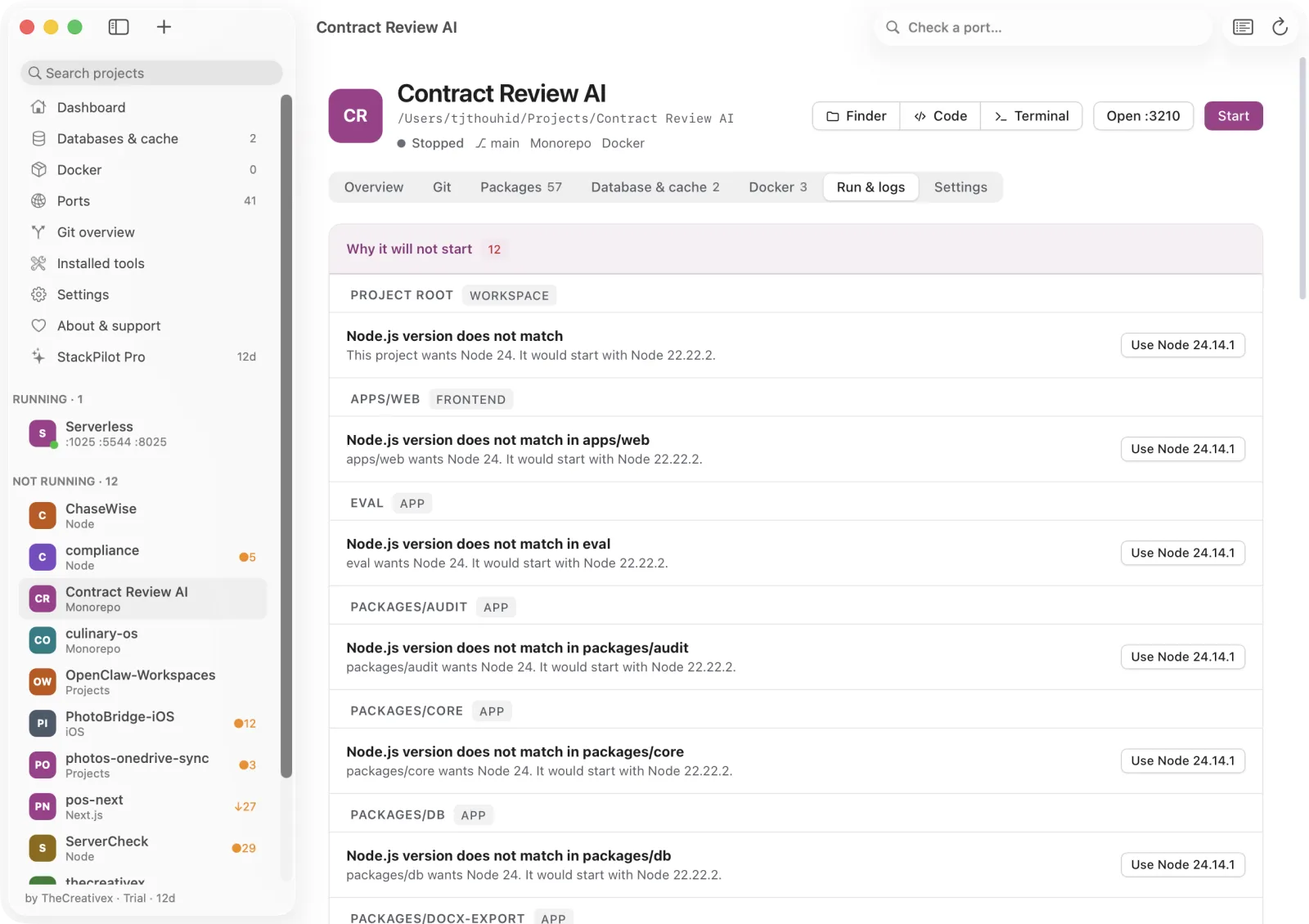
Why it will not start
The reason — and the fix beside it.
- Port taken, wrong Node or PHP, missing dependencies.
- PostgreSQL or Redis down, Docker stopped.
- .env missing, or missing names from the example.
- Seeing the reasons is free. PRO fixes the runtime and .env in one click.
 Lokstack
Start projects your way
The same command, the same folder —
one click.
It suggests
Scripts from every package.json and composer.json, with the folder each needs.
You pick once
Run folder, command and a reserved port — saved. Anything already running from the folder is found, whoever started it.
Start & Stop
Output captured, whole process tree stopped. PRO adds a queue or scheduler as its own command with its own log.
LokstackDatabase & cache
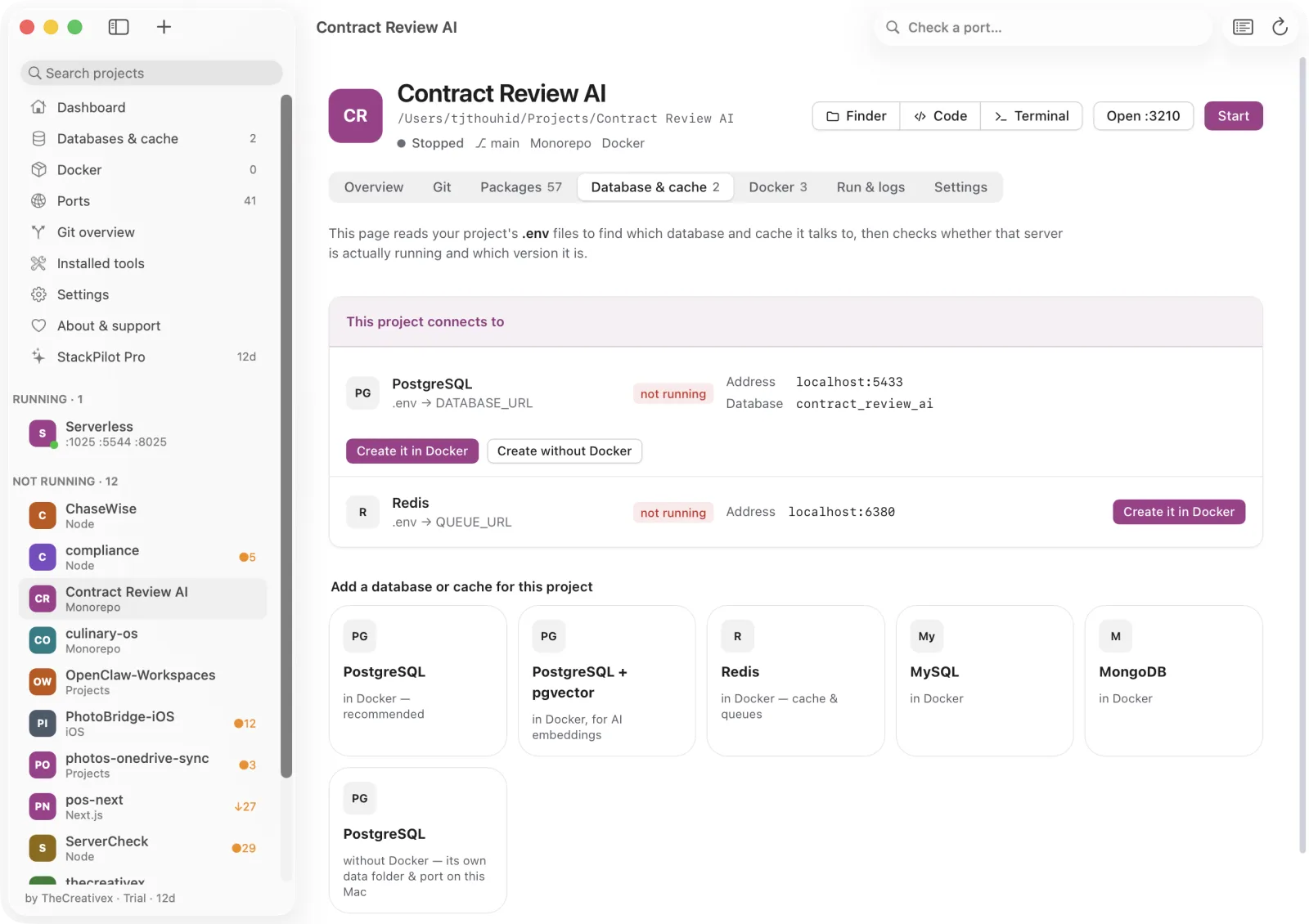
Is my database actually up?
- Reads DATABASE_URL, DB_*, REDIS_*, QUEUE_URL.
- Checks the server answers — exact version and where it runs.
- One click: PostgreSQL, pgvector, Redis, MySQL, MongoDB in Docker.
- PRO PostgreSQL without Docker, unlimited databases.
 Lokstack
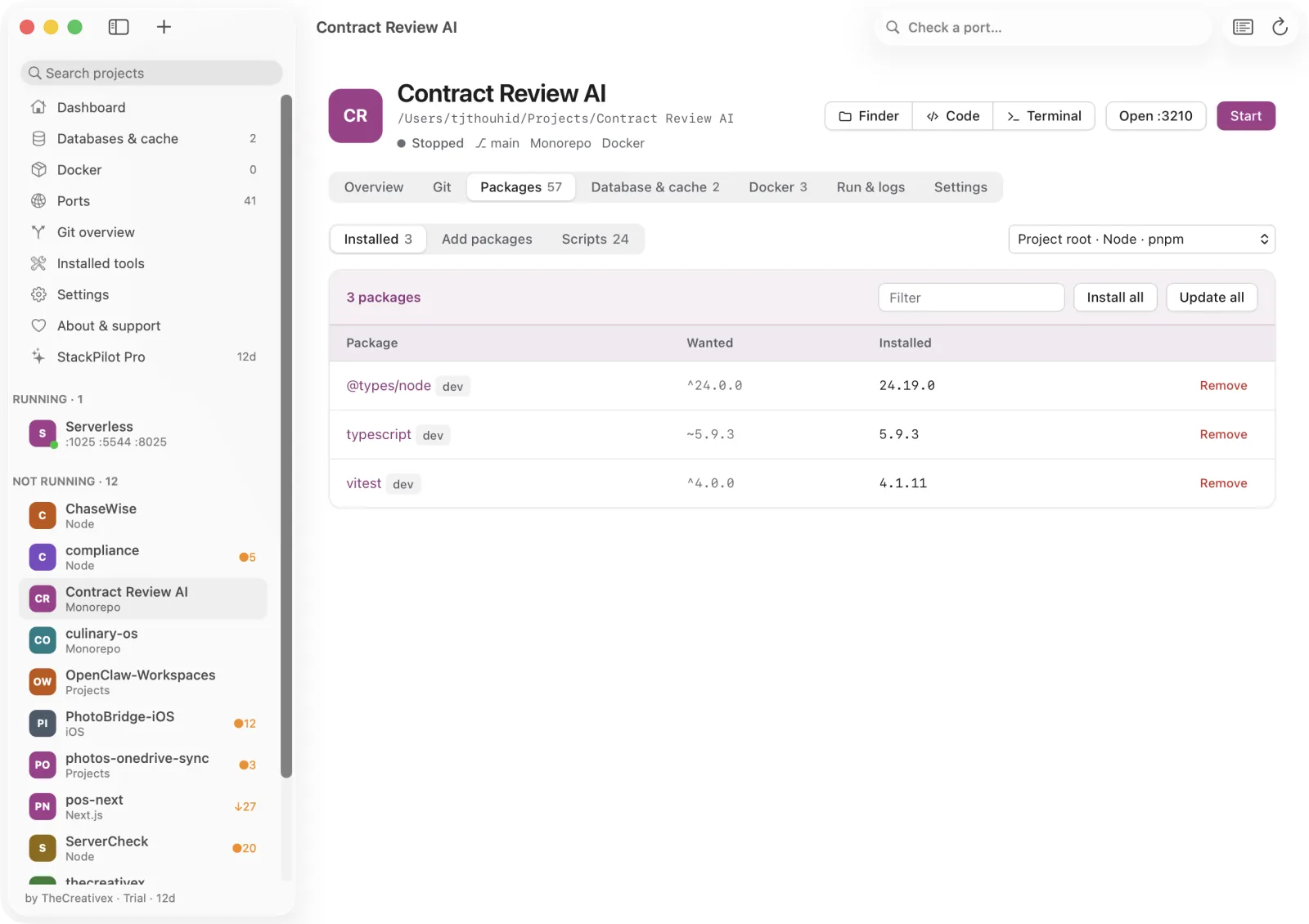
Packages
Find it, pick it, install it.
- Search npm, Packagist and PyPI — downloads and stars.
- Curated popular picks by category.
- npm · pnpm · yarn · bun · Composer · pip, detected per folder.
- PRO a specific version, and Update all.
 Lokstack
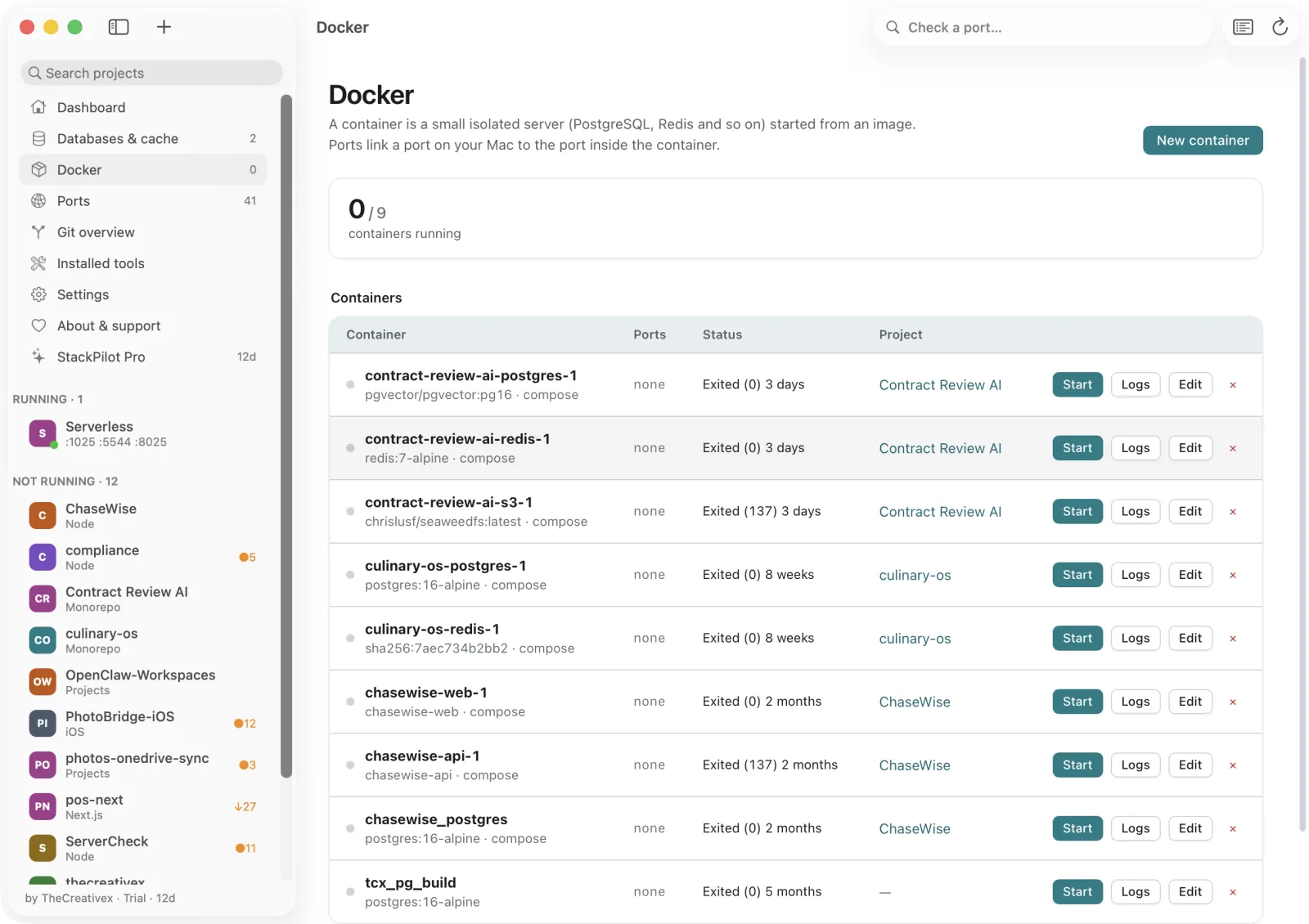
Docker, simplified
Containers in plain language.
- Compose: Up, Restart, Stop, Down, Pull.
- Templates: Postgres, Redis, MySQL, MongoDB, Mailpit, MinIO, any image.
- Every container linked to its project. Volumes always kept.
- PRO edit a container safely — automatic rollback.
 Lokstack
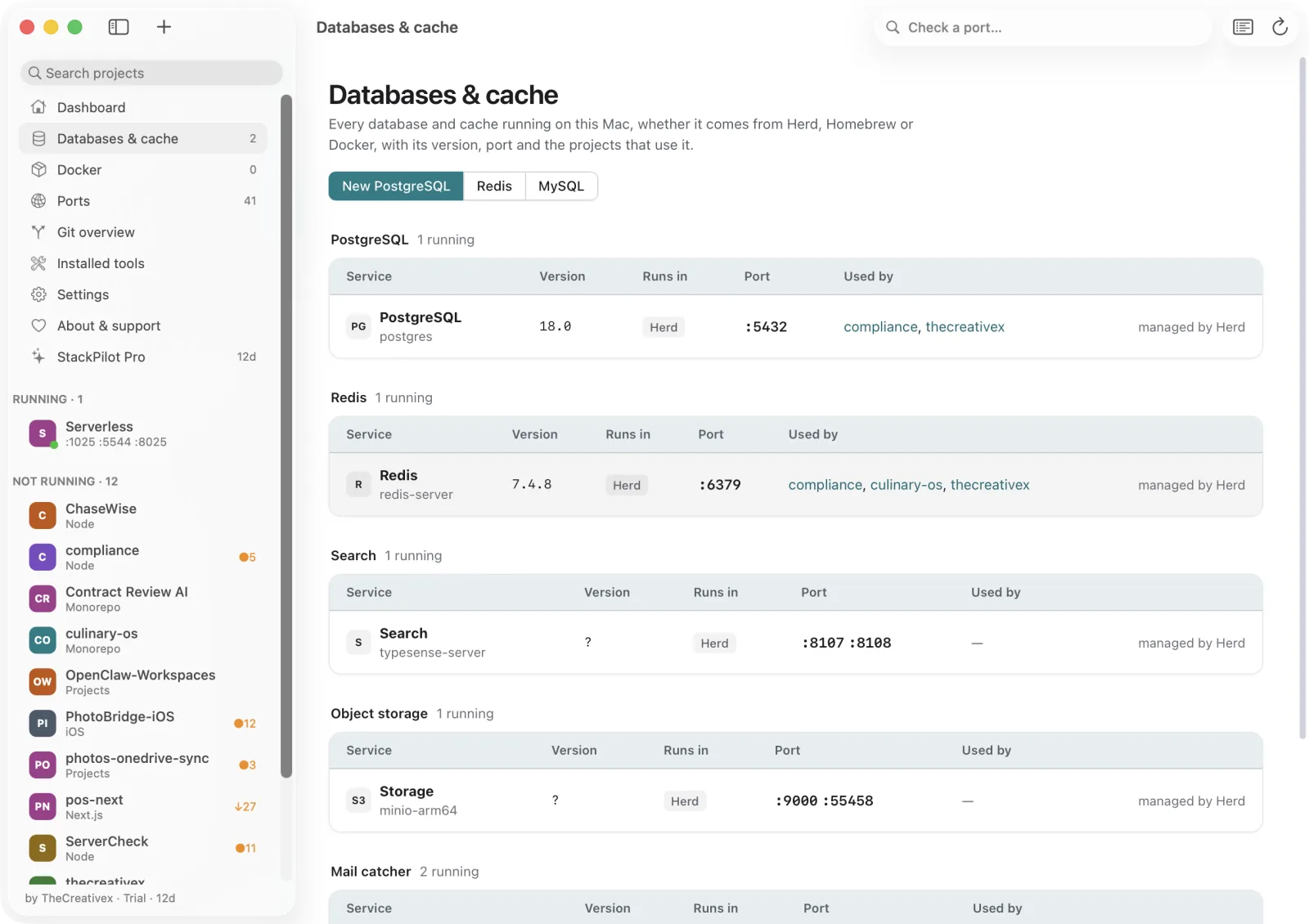
The whole Mac
Every database. Every port. Every tool.
- Databases & cache — every server, its version, who uses it.
- Ports — owner, project, network exposure; free any port.
- Installed tools — Node, PHP, Postgres, Redis from nvm, Homebrew and Herd.
 Lokstack
Free and Pro
Free for everyday work. Pro when it gets sharp.
Forever. No account.
- Dashboard, projects, ports and what is running
- Stop, kill and free a port
- See why a project will not start
- Saved start command for 3 projects
- Install, remove and install all by name
- Databases, versions, Docker · 1 Docker database
1 person · 3 Macs · 1 year of updates · 14-day trial, no card
- One-click fixes: the right Node or PHP, .env from the example
- More than one start command per project, each with its own log
- Unlimited saved commands · Node & PHP per project
- Specific package versions · Update all
- Unlimited Docker databases · PostgreSQL without Docker
- Edit a container · Start & Stop from the menu bar
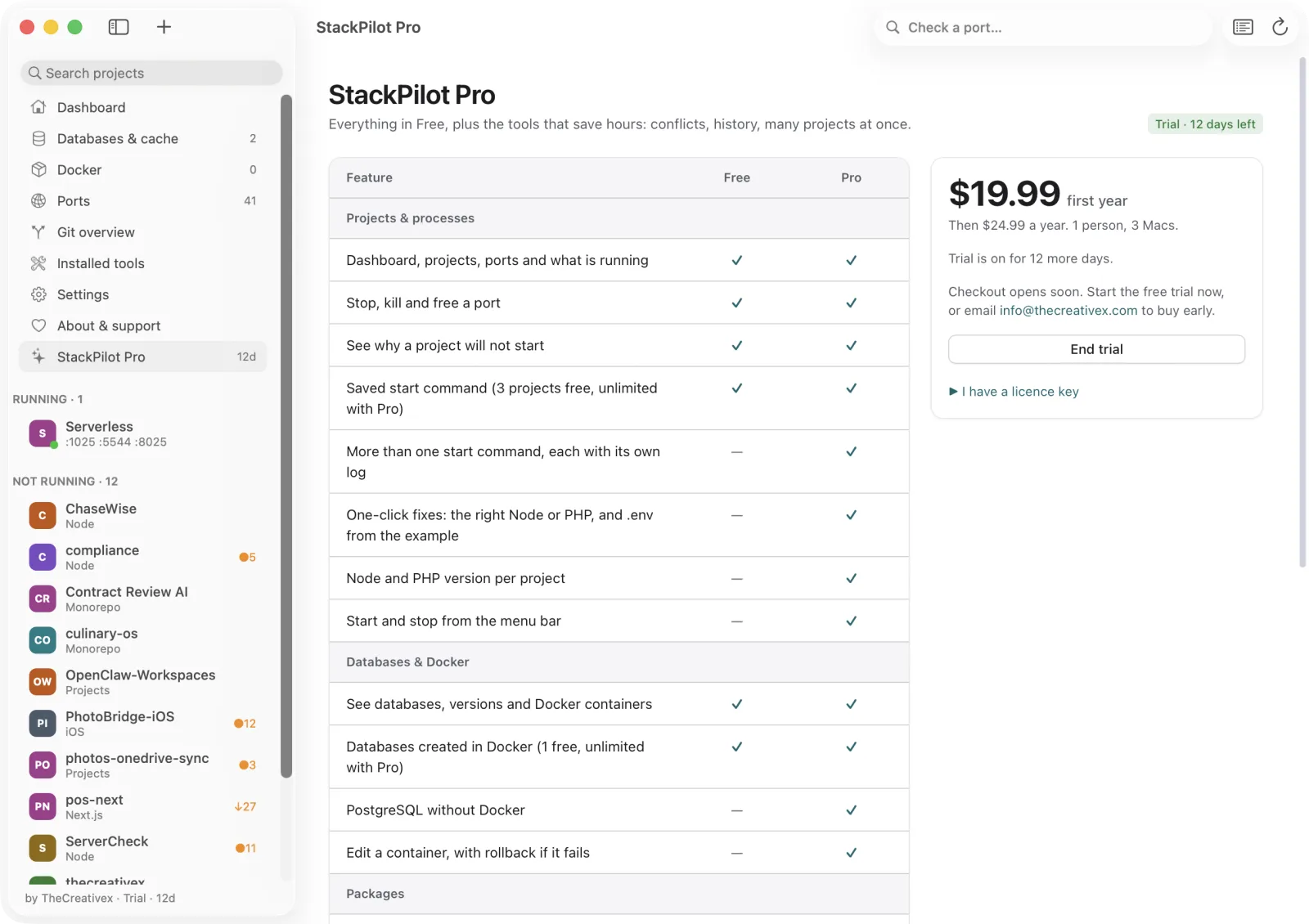
LokstackInside the app
Same window. One switch.
- Pro features show a PRO mark — never a nagging pop-up.
- Start the 14-day trial from the app. No card, no account.
- Paste a license key — checked with Lemon Squeezy, 30 days offline grace.
 Lokstack
A real Mac app
Native window, menu bar,
drag-to-install.
Native shell
AppKit + WebKit, standard menus and shortcuts, native dialogs, light and dark.
Menu bar
Running projects at a glance; keeps working with the window closed. PRO Start & Stop from there.
DMG installer
Drag to Applications. Node.js built in on Apple Silicon — nothing else to install.
LokstackHow it works
Small, local, dependency-free.
LokstackPrivacy & safety
Your machine. Your data.
Local only
Listens on 127.0.0.1 only. No account, no analytics, no cloud. Other websites cannot control it.
Safe by default
Every destructive action asks first. Docker volumes and project files are always kept.
Online on request
Only when you search or install packages, pull images, or activate a license key.
LokstackLandscape
The only tool that sees projects.
| Lokstack | Activity Monitor | Docker Desktop | Herd / MAMP / DBngin | Terminal | |
|---|---|---|---|---|---|
| Understands projects | ✓ | — | compose | sites | — |
| Why a project will not start | ✓ | — | — | — | read the log |
| Native + Docker + Herd together | ✓ | processes | Docker | own only | manual |
| Who started a process | ✓ | — | — | — | manual |
| Several start commands per project | Pro | — | compose | — | many tabs |
| Package search & install | ✓ | — | — | — | manual |
| Per-project Node / PHP | Pro | — | — | PHP | manual |
LokstackWho it's for · where it's going
Built for developers with many projects.
Agencies & freelancers
5–20 client projects on one Mac. Reserved ports, per-project runtimes, instant context.
Laravel + JS & monorepos
Composer, pnpm workspaces, queues, Redis, pgvector — understood and controlled.
New to the stack
The project says why it will not start, in plain language, with the fix beside it.
1.2 Now
- Why it will not start + fixes
- Several start commands
- Free, trial and Pro
Next
- Launch at login
- Notice when a project stops
- Signed & notarized installer
Later
- Database browser
- Local names instead of ports
- Team presets · Intel · auto-update
LokstackMade by
Tj Thouhid
Founder & developer · dev@tjthouhid.me
Lokstack is built at TheCreativex LTD., a studio that designs and builds web, mobile and developer products — open to custom development, partnerships and sponsorship.
thecreativex.com · info@thecreativex.com
Lokstack
See every project, port, and version on your Mac, and fix it in one click.
Free and Pro · macOS 13+ · Apple Silicon ready
www.thecreativex.com · info@thecreativex.com · dev@tjthouhid.me