
"Port 3000 is already in use"
What is on it? Lokstack names the process, the project and who started it, then frees the port.
Free Native Mac app · No account · Runs only on your Mac
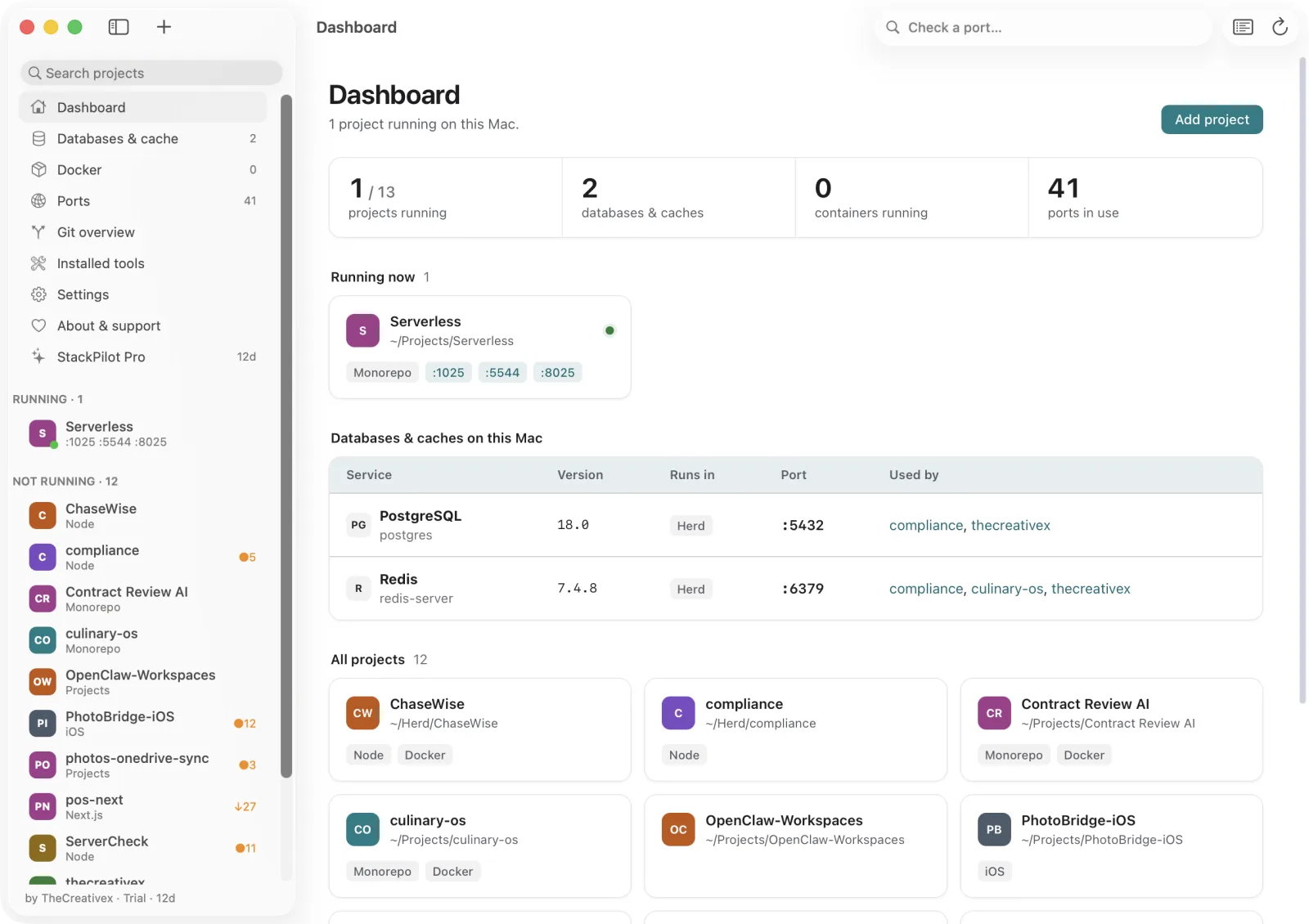
Lokstack finds every project on your Mac, shows what is running on which port and which versions it needs, tells you why it won't start, and puts the fix next to the reason.
Free for everyday workmacOS 13+38 MB
The problem
A dev server in a closed Terminal tab. Two Postgres versions. A queue worker an AI tool started. Finding out takes lsof, ps, docker ps and a good memory.
What is on it? Lokstack names the process, the project and who started it, then frees the port.
Docker or Herd? Every database shows its exact version, where it runs and which projects use it.
Why won't it start? A ranked list of blockers with a button beside each one.
How it works
It discovers projects in ~/Projects, ~/Herd, ~/Sites and more. Add any folder you like.
Processes, ports, databases, containers, packages and runtimes, joined into one view per project.
Start, stop, free a port, install packages, create a database. Every finding has its action.
A look inside
Node and PHP in use versus required, packages, each database connection, Docker and your .env keys with secrets masked.
Project overview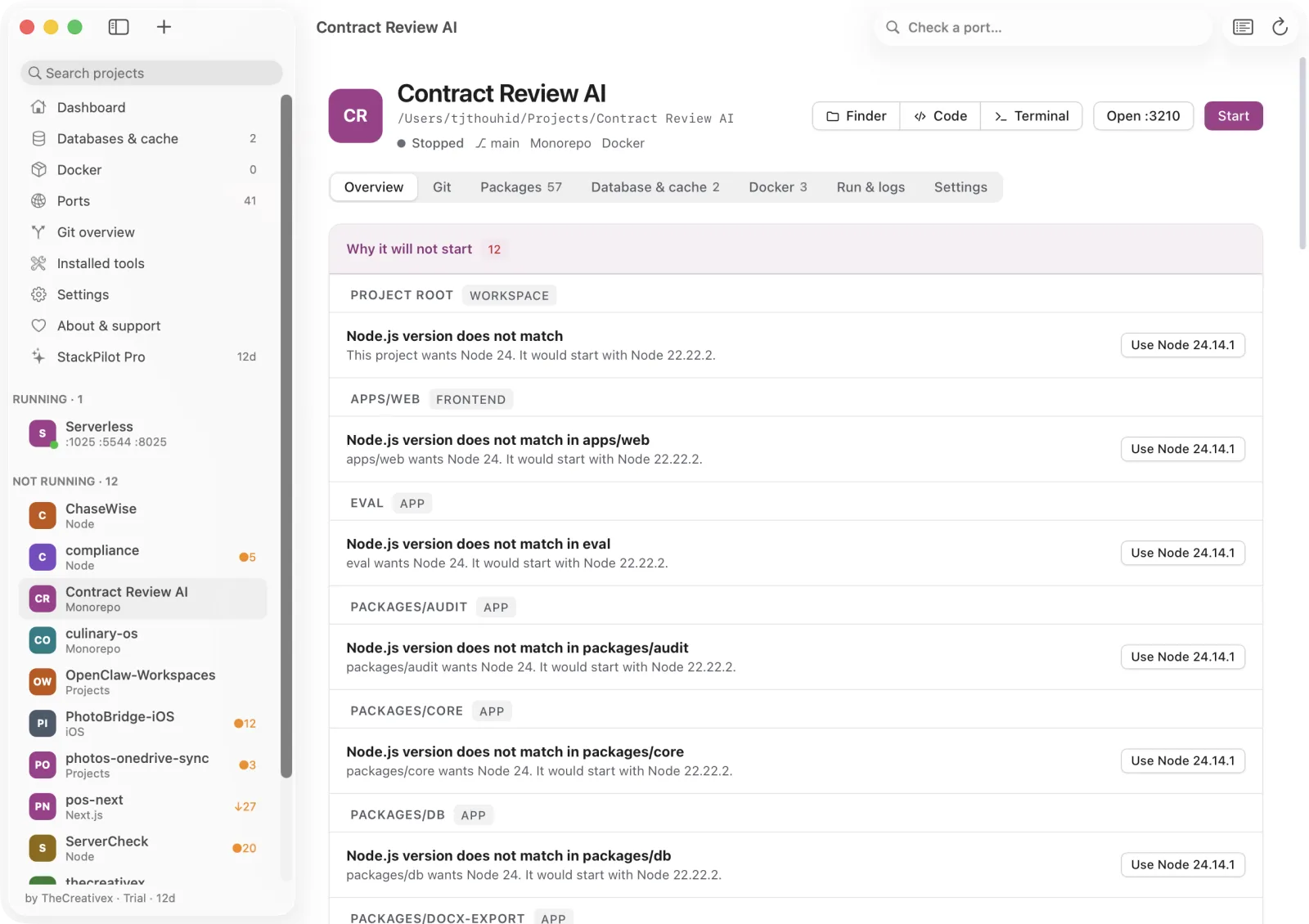
See every process in a project as a tree and who started it: Terminal, VS Code, Cursor, JetBrains, Claude Code or Lokstack. Stop, restart or take over with a click.
Run & logs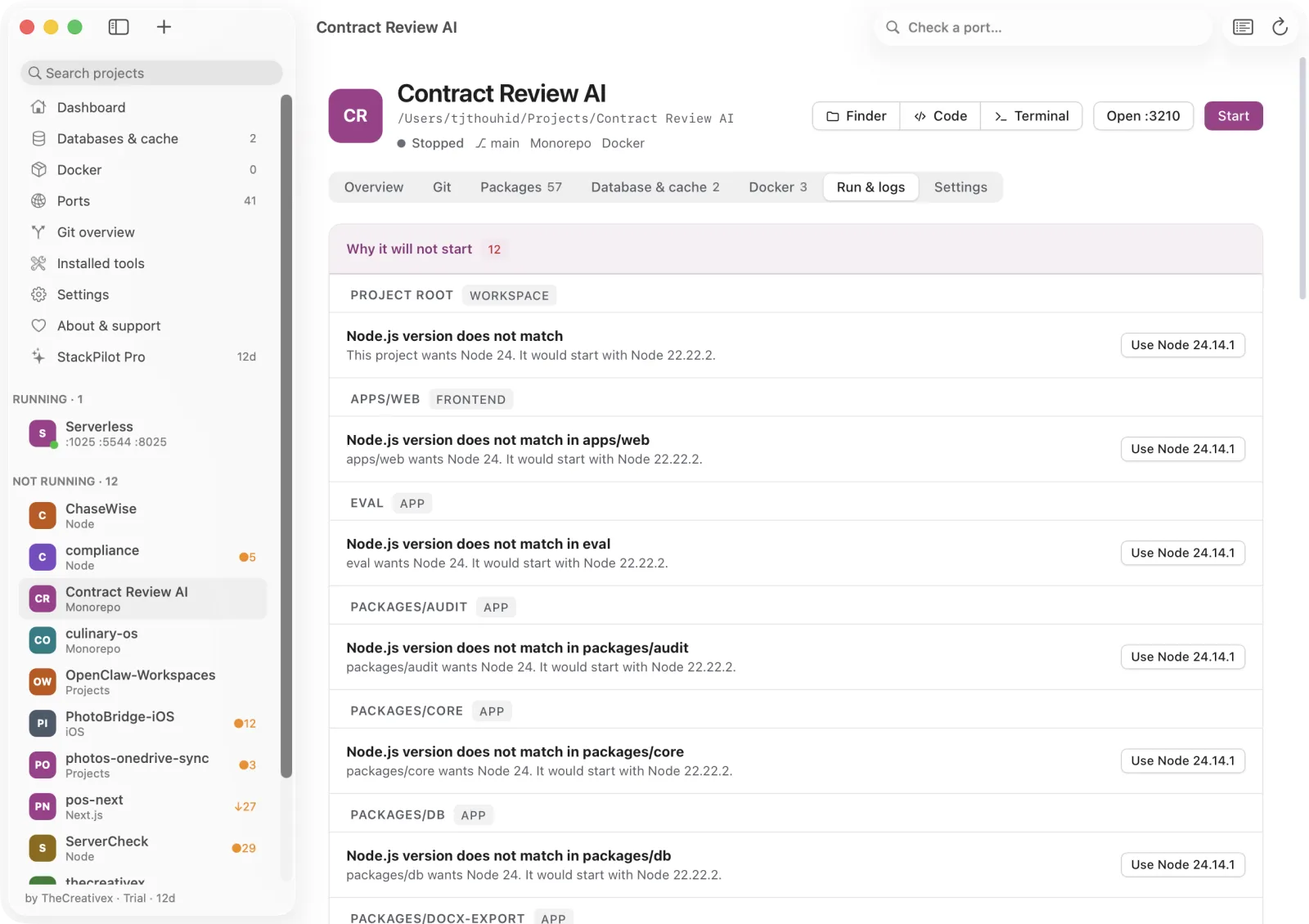
npm, pnpm, yarn, bun, Composer or pip, detected from your lockfiles and monorepo-aware. Install by name or search npm, Packagist and PyPI right inside the app.
Packages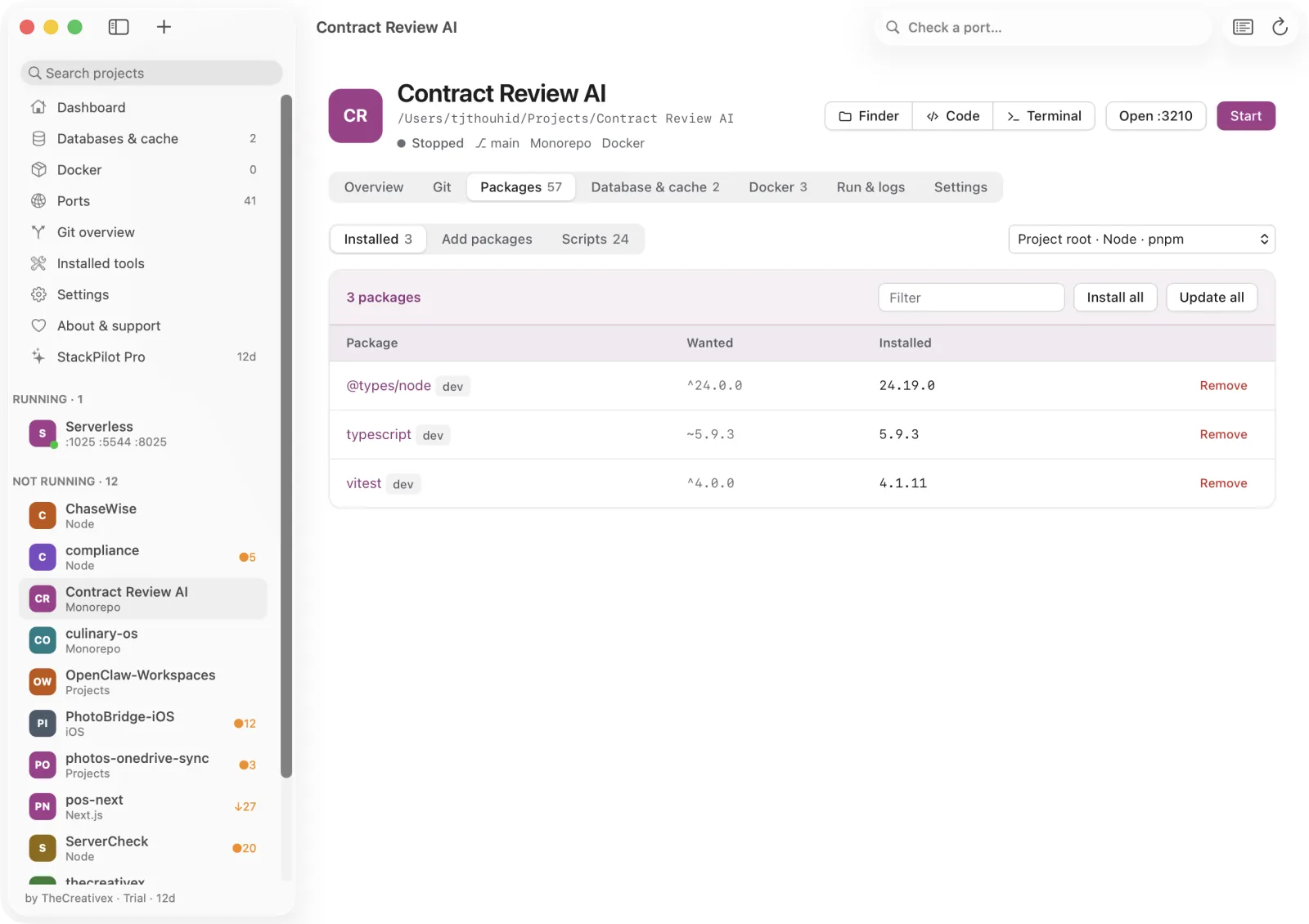
Lokstack reads DATABASE_URL, REDIS_* and friends from your .env, checks the server really answers, and shows the exact version and where it runs.
Databases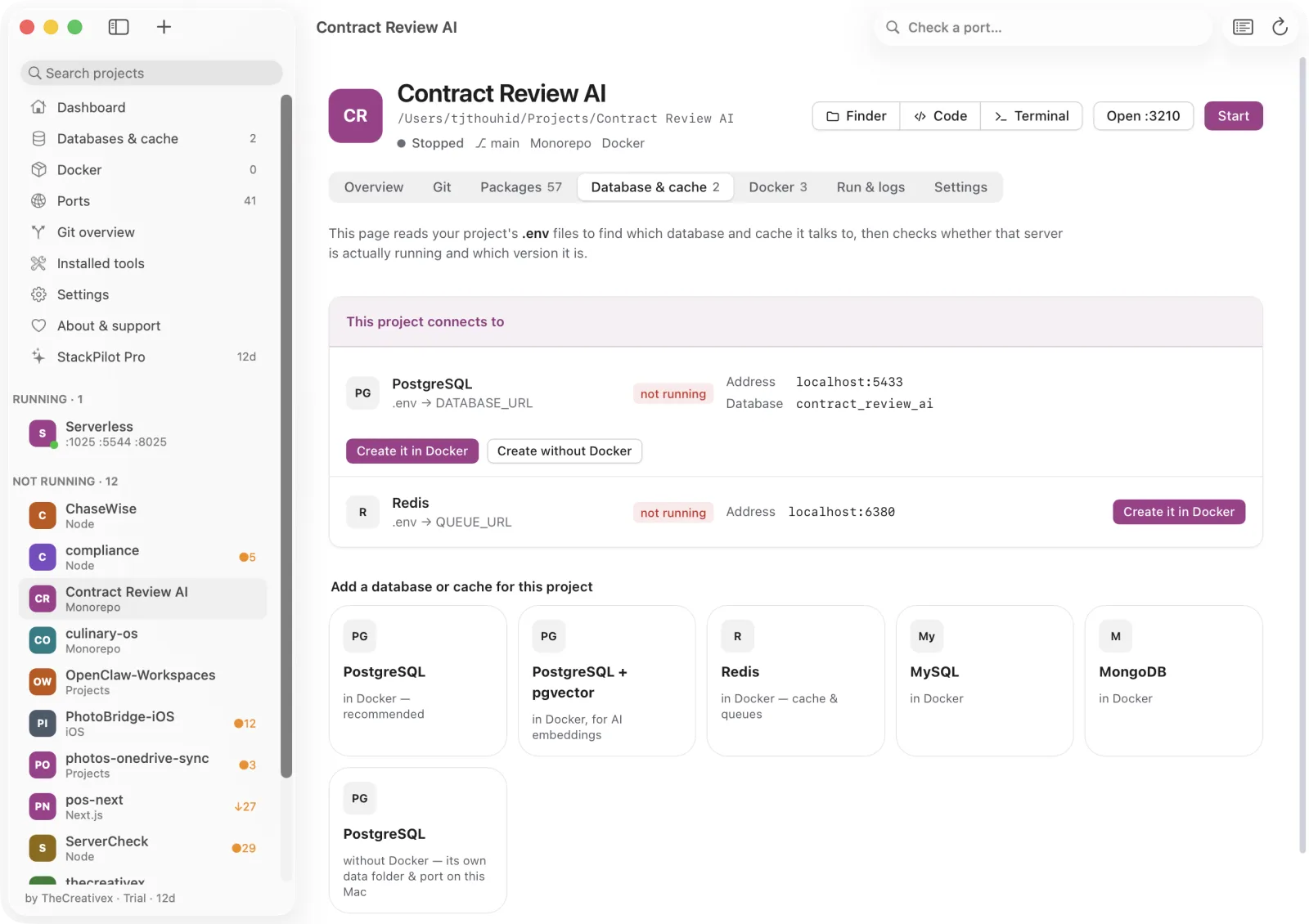
Compose projects and containers with start, stop, restart and logs. Make a PostgreSQL, Redis or MongoDB container from a template. Deleting a container keeps its volumes.
Docker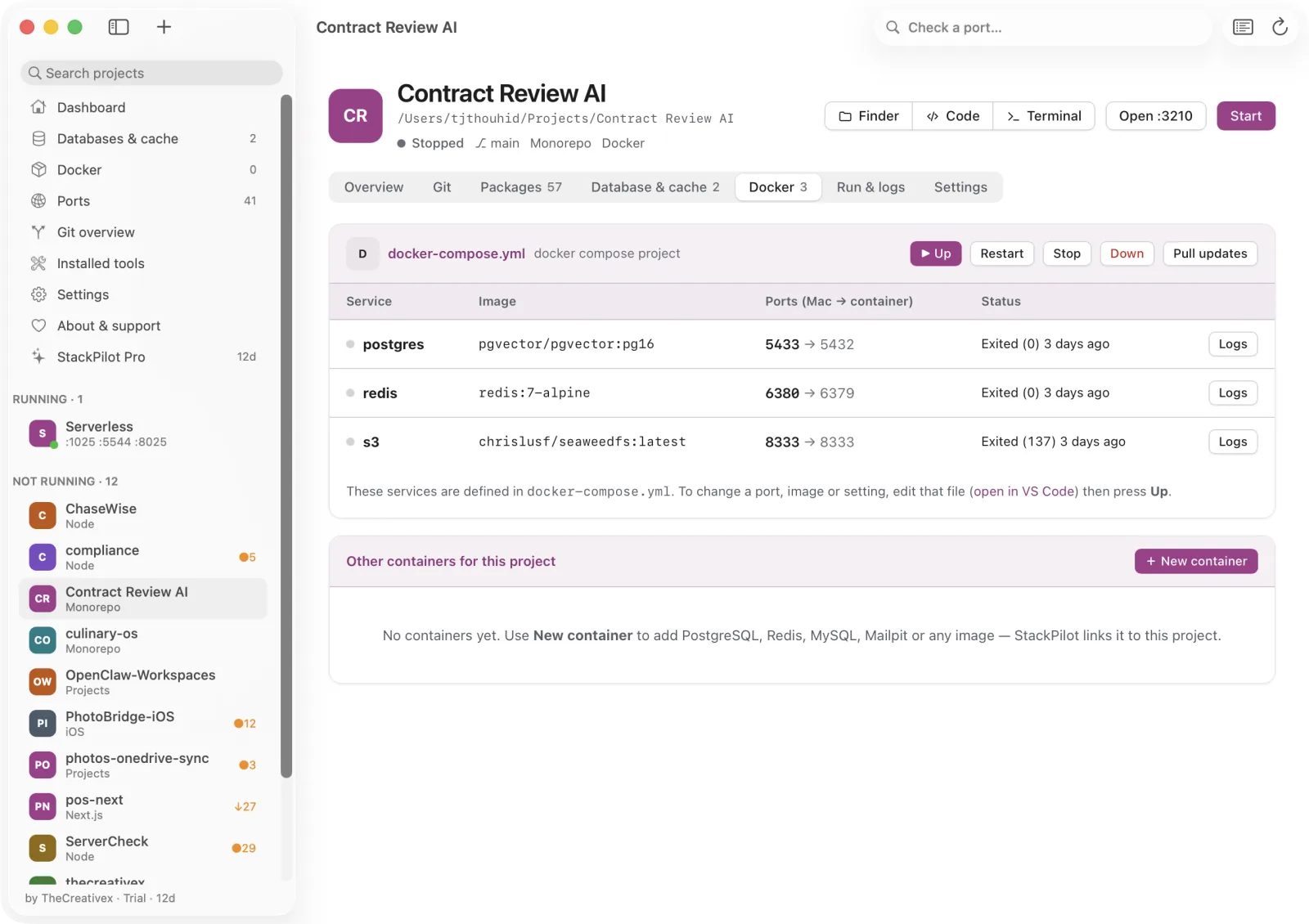
Changes, history, branches, stash and a time machine for lost commits. A secret guard stops you committing keys. Pro adds line staging, interactive rebase and conflict tools.
Git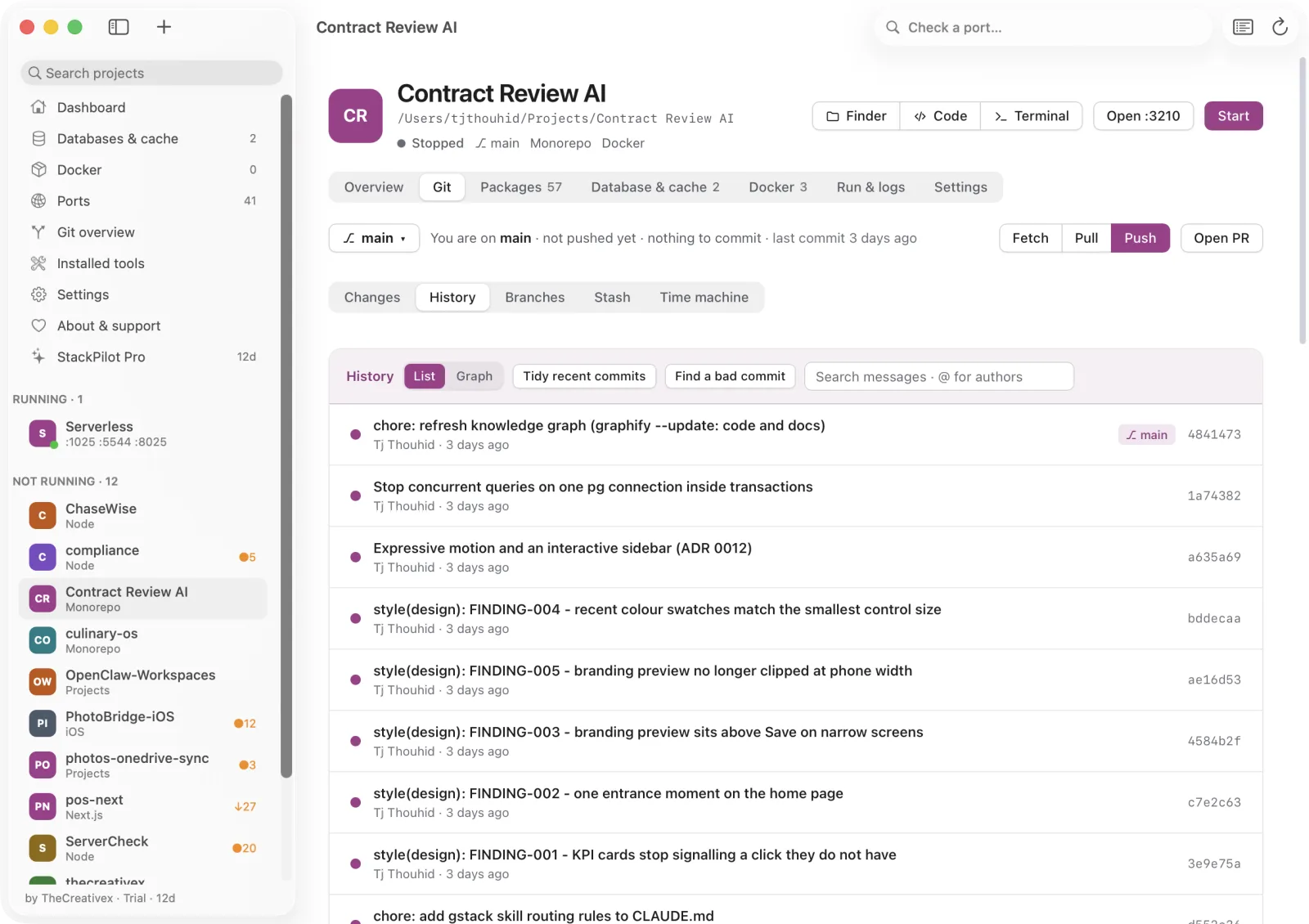
Why developers keep it open
Port taken, wrong Node or PHP, missing packages, database or Docker down, .env incomplete. Ranked, each with its fix.
Whoever started a process, Lokstack finds it: Terminal tab, editor, AI coding tool or the app itself.
Node and PHP in use versus required by .nvmrc, engines and composer.json. Install versions side by side.
Type a port in the toolbar, see who owns it and free it. Ports reachable from the network are flagged.
Run folders, several start commands and one log per process. A queue, a scheduler and a web server each get their own.
Destructive actions ask first. Docker volumes and project files are kept. Container edits roll back on failure.
Compared
| Lokstack | Activity Monitor | Docker Desktop | Herd, MAMP | Terminal | |
|---|---|---|---|---|---|
| Understands projects | Yes | Processes only | Compose only | Sites only | No |
| Why a project won't start | Yes | No | No | No | Read the log |
| Native, Docker and Herd services together | Yes | No | Docker only | Own services | By hand |
| Ports mapped to projects | Yes | No | Containers | No | lsof |
| Free for everyday use | Yes | Yes | Limits apply | Varies | Yes |
Comparison reflects each tool's main purpose. Docker Desktop and other product names belong to their owners.
Private by design
Lokstack is a small server bound to 127.0.0.1, wrapped in a native app. No account. No analytics. No telemetry.
The server is unreachable from the network, and every change needs a custom header and a localhost host, which blocks other websites.
Passwords, tokens and keys in .env files are hidden by default, including passwords inside URLs.
It goes online only when you search for packages, pull a Docker image, or activate a Pro key.
Pricing
A feature that is free today stays free.
$0 no time limit
No account, no card.
$19.99 first year, then $24.99/year
14-day trial, once per Mac, no card. For you, on up to 3 Macs.
Questions
Everyday use is free with no time limit and no account. Pro adds one-click fixes and power tools for $24.99 a year ($19.99 the first year). A 14-day Pro trial needs no card.
No. Lokstack runs on your Mac and listens on 127.0.0.1 only. It has no account, analytics or telemetry. It touches the network only when you search for packages, pull Docker images, or activate a Pro key.
macOS 13 Ventura or newer. On Apple Silicon nothing else is needed because Node.js is built in. Intel Macs need Node.js 18 or newer.
Activity Monitor sees processes and Docker Desktop sees containers. Lokstack understands projects: it joins processes, ports, containers, .env files and runtimes into one picture per project, and tells you why a project won't start.
Lokstack goes back to the Free plan. Nothing is deleted and everyday features keep working.
Download Lokstack, point it at your projects folder and see your whole stack in a minute.